Introducing Rise v4

John Scalo
August 28, 2026
I’m excited to announce that Rise v4 is now available! Rise v4 is by far the biggest update we’ve ever released and includes some great new features which I’ll cover below.
Community Sharing
The first version of Rise debuted over six years ago (!) and the one feature we really wanted in v1.0 that we couldn’t get to was the ability for users to share their recipes with the rest of the community. It took us six years to get right, but Rise finally supports community recipe sharing.
With v4, any user can submit a recipe to share with the community. After the team reviews and approves a recipe, it will appear in the Featured tab. Community-shared recipes are always free for everyone. We just ask that the recipes you share are your own, your own take on someone else’s, or imported by the Rise AI, and that they don’t include copyrighted photos.

Describe Changes to This Recipe
With v3 we added the ability to import recipes from almost anywhere — websites, books, photos, or text — and users now say that unlimited web imports is the #1 reason they upgrade to the paid plan. Our Rise AI really is amazing at translating any recipe into its native format, enabling scheduling, notifications, rise time predictions, and everything else that makes baking in Rise so much easier.
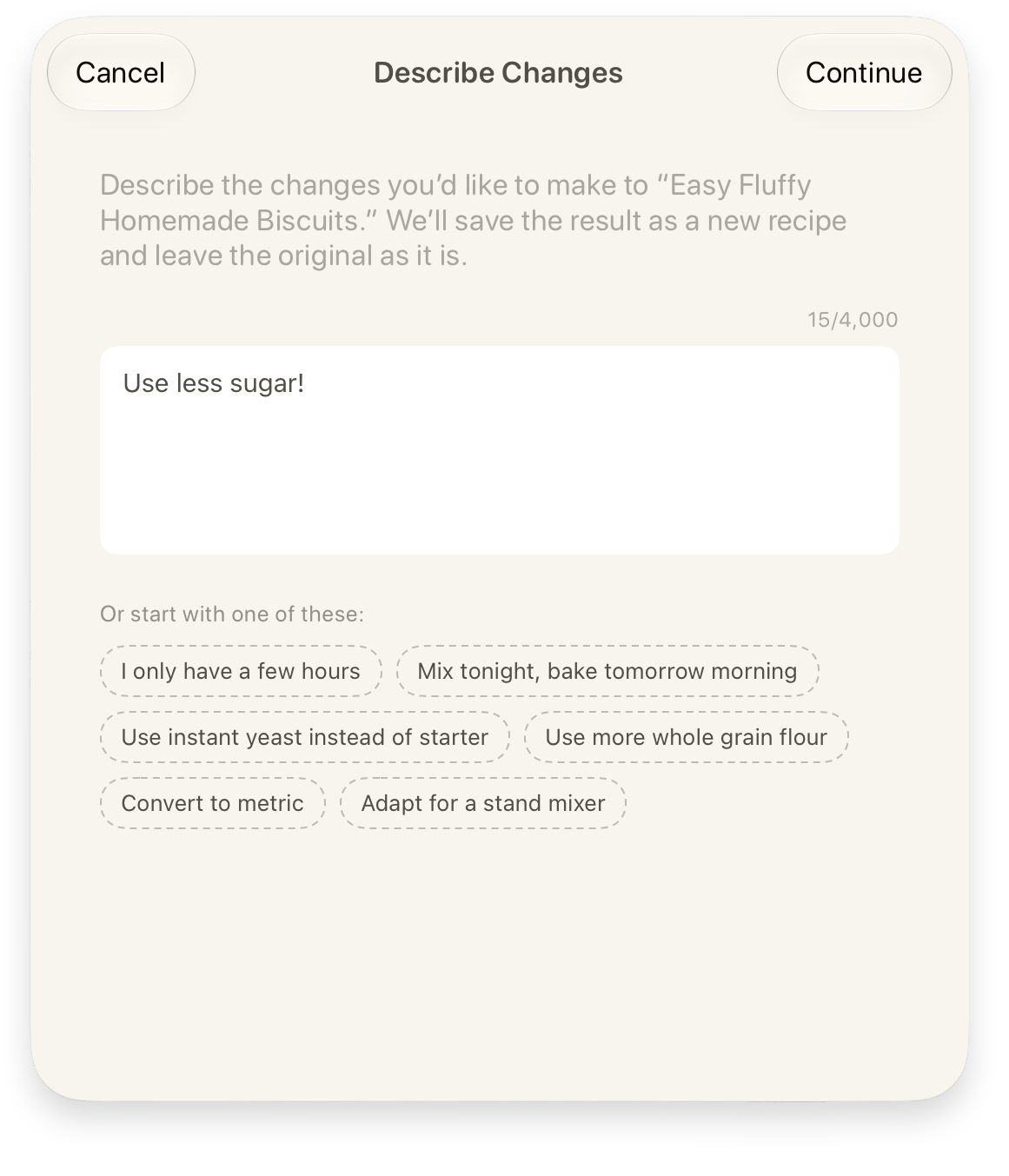
Now with v4, you can take an existing recipe, your own or one of our featured recipes, and describe changes that you’d like to make. The Rise AI then applies those changes and makes a new recipe. Some examples:
- “Mix tonight, bake tomorrow morning”
- “Use instant yeast instead of starter”
- “Use more whole grain flour”
- “Adapt for a stand mixer”
Recipe Ratings
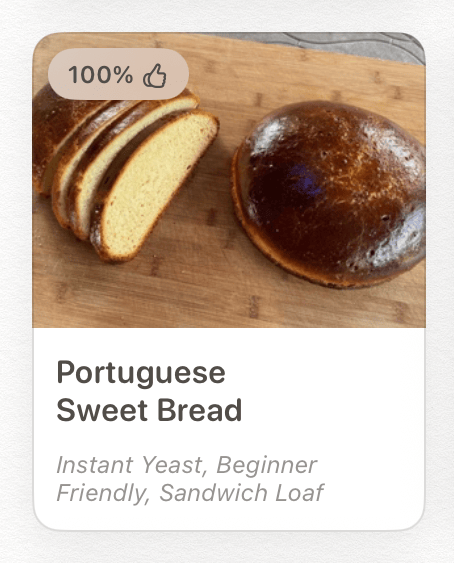
Recipe ratings is another feature we’ve wanted since day 1 but took a while to get right. Now after finishing making a recipe, if the recipe came from the Featured tab you’re given the option to rate it 👍 or 👎. Then, once a recipe gets enough ratings, it will show the percentage of upvotes it got, helping other users choose the best recipes.
Scale Recipe
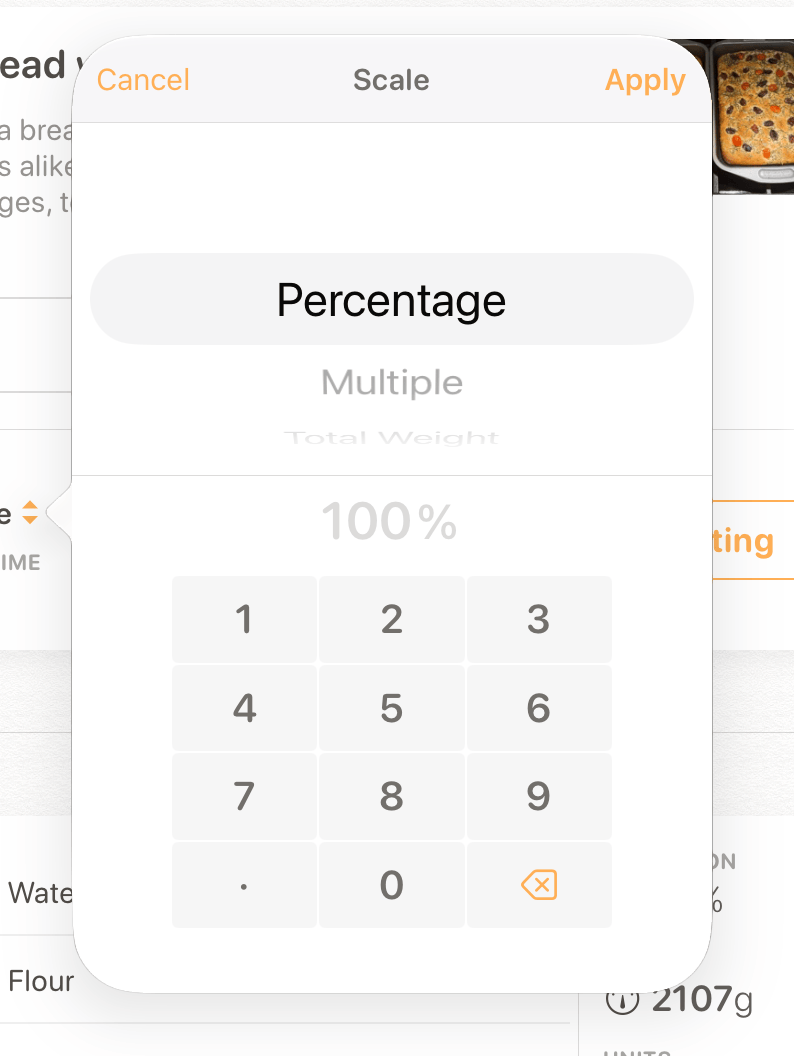
Every baking app worth its salt (see what I did there?) has some way of scaling recipes, and of course Rise does too and has since v1.0. But since then we’ve heard from users that they need a variety of ways to scale recipes, so with v4 you can now scale:
- by percentage
- by multiplier (¼x, ½x, 2x, etc)
- by total weight
- by yield/servings
To use the new Scale Recipe feature, just switch to Edit mode and it shows up in the title card.
Shake to Undo
Undo seems like a small thing until you accidentally change the weight of the entire recipe and can’t remember what it was before. We didn’t want to crowd the app with undo buttons so instead the app will notify you the first time you perform a destructive action that the action is undoable by doing a “shake-to-undo” with your device.
UI Redesign
Apple added Liquid Glass to iOS 26 but until now Rise has opted out, keeping its classic nav and tab bar look. However for better or worse, Apple has notified developers that soon we’ll no longer be able to opt out of Liquid Glass, so we took this opportunity to redesign the app to fully embrace it. Nav bars and tab bars now adopt the Liquid Glass conventions, and on iPad the tab bar and nav bar are now integrated at the top as Apple recommends.
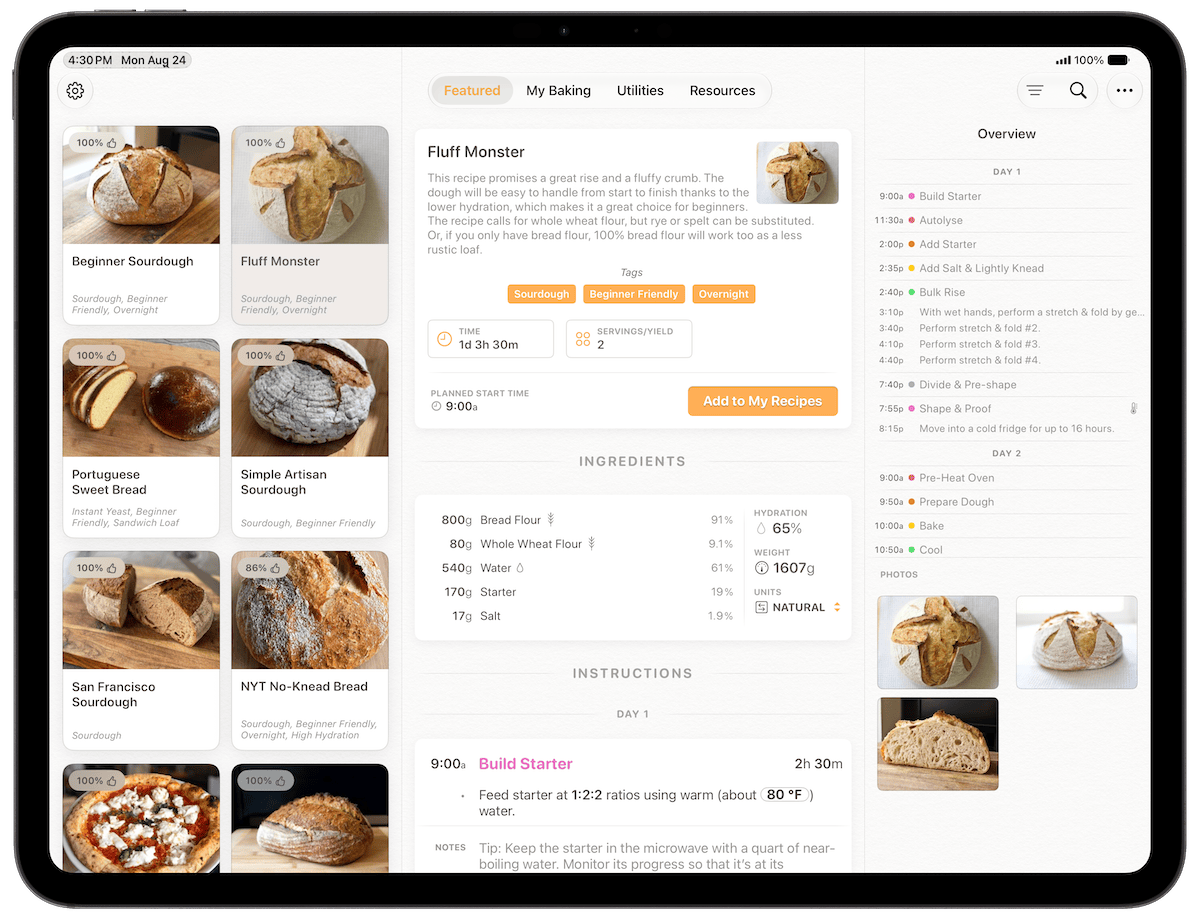
Also, the main tabs of the app have been reorganized to be more intuitive. Curated and community-shared recipes are now in the Featured tab, while your own recipes and baking history are in the My Baking tab. Featured recipes and My Recipes now use a nicer card UI instead of a flat list.
And since the difference between “My Recipes” and “My Rises” has always been a little confusing, we’ve made the distinction more clear by now requiring all new recipes to start in My Recipes, meaning you can no longer import directly into My Rises or make a new recipe there from scratch. My Recipes is where all of your recipes start, and My Rises is a baking history.
Get Rise from the App Store
Requires iPhone or iPad running iOS 26 or later.